Last updated 7 August 2026. This page was reviewed on that date. Prices, rates and opening hours change often in Singapore — confirm anything that matters directly with the business before you travel or spend.
Quick answer: Charlotte’s Carpentry is the go-to for custom, space-savvy homes with an in-house workshop. Flo Design and EightyTwo suit the detail-obsessed who want an award-winning team to run the whole show. Fuse Concept handles bold, nautical looks beautifully. The Minimalist Society turns compact flats into calm retreats. Yang’s Inspiration Design makes a thoughtful budget your friend, and Earth Interior Design brings a holistic, long-view touch. All seven firms are listed here with who each one really works for.
For those considering a truly personalized space, explore our guide to High End Residential Interior Design.

A renovation should leave you walking into your flat and feeling just a bit more attractive—not just your space. Solid interior design doesn’t have to be atas. Pay attention to layout, storage, and lighting that flatters. These firms know how to deliver that without wasting your money on fancy packaging. Practical upgrades, not just pretty pictures.
One of 8 guides in Best Renovation & Interior Design in Singapore — worth a look if you are still weighing options.
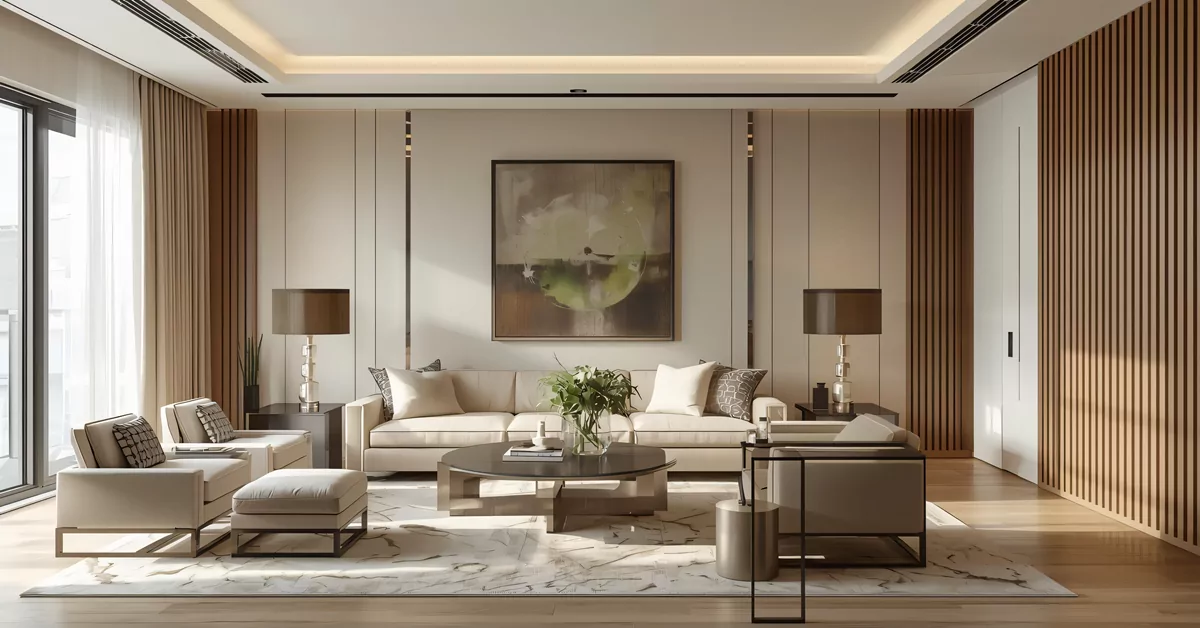
Charlotte’s Carpentry

Right off Jalan Pemimpin, this sibling-run outfit has quietly built a name for itself by making homes feel spacious and understated without ever feeling cold. Their in-house workshop is the real deal, turning out custom carpentry that fits Singaporean floor plans like a glove. If you are the sort who hates wasted corners and loves a clean, Scandinavian-inspired line, you will find yourself nodding through their 3D renderings.
If you’re after that clean Scandinavian look without the coldness, Charlotte’s Carpentry delivers. Their in-house workshop means carpentry costs stay reasonable, and the 3D drawings give you a real preview. It’s the sort of place where you leave feeling your daily clutter will finally have a tidy, attractive home—and so will you.
Address: 37 Jalan Pemimpin, #01-16 MAPEX, Singapore 577177
Hours: By appointment
Price signal: Mid to high, driven by custom work
Web: charlottescarpentry.design
Since 2018 the firm has been collecting Qanvast SuperTrust badges, which in this industry means they consistently deliver what they promise. Couples buying their first resale and empty nesters downsizing to a condo both walk away happy; the design briefs just change. Book a session and you will get a honest chat about what your space can actually do, not a catalogue of impossible ideas.
Also worth a look: Top Paint Brands in Singapore — before you commit to a colour on every wall.
Flo Design

Flo Design has the kind of quiet confidence that comes from knowing your team has been CaseTrust-accredited and keeps bagging awards. They set up shop in 2017 inside Sin Ming Plaza and have been crafting interiors that feel current but not trend-chasing. The consultation flows like a conversation, not a sales pitch, which matters when you are about to spend serious money remaking your home.
The team at Flo Design treats your renovation like a grown-up conversation, not a hard sell. With CaseTrust accreditation, you know your deposit is safe—practical peace of mind. Their style is current without being try-hard, so your home ends up looking effortlessly polished, the kind that makes you feel proud to host.
Address: 6 Sin Ming Road, #01-12/13, Sin Ming Plaza Tower 2, Singapore 575585
Hours: By appointment
Price signal: Mid to high, personalised quotation
Phone: +65 6469 3188
Web: flodesign.com.sg
What strikes you is how naturally they weave custom lighting and ergonomic layouts into the floor plan; it never looks bolted on. Executive condominiums and landed homes are their bread and butter, but they treat a three-room HDB with the same seriousness. If you are the kind of homeowner who wants to be involved without micromanaging, their project management style will feel just right.
This list is editorial, not advertising. Run something similar? Tell us what you do and we will take a look.
While you mull over a full-scale makeover, you might also appreciate the approach in Residential Interior Design Gems.
EightyTwo

Walking into EightyTwo’s Amoy Street studio tells you a lot. This is an award-winning firm that treats each home like a longer story, layering texture and light until the whole space feels almost meditative. They have over a decade of high-end residential work behind them and a trophy cabinet with fourteen design awards, but they talk about your project with genuine humility.
EightyTwo’s Amoy Street studio gives you a taste of their approach—layered, calm, and unpretentious. If you crave a home that feels like a personal sanctuary, they know how to weave texture and light until every corner makes you feel quietly confident. Ideal for anyone who believes a well-designed room can shift your whole mood.
Address: Levels 3 & 4, 77 Amoy Street, Singapore 069896
Hours: Monday to Friday, 10am to 7pm
Price signal: Premium, custom quotation
Web: eightytwo.asia
Condominium and landed property owners who want a turnkey experience, right down to the styling of the last console table, will appreciate how little they need to do themselves. The spatial arrangements they dream up tend to make a 1,200-square-foot flat live like 1,500, and the choice of finishes always feels deliberate. If your idea of luxury is a home that calms you the second you step inside, they are worth the consultation fee. For a different kind of luxury, you might also enjoy our look at Singapore’s Premier Curtain Shops once the walls are up.
Fuse Concept

Fuse Concept has been around since 2001, which in Singapore’s interior design scene is practically a lifetime. Their Serangoon Road base handles everything from modern minimalist flats to surprisingly tasteful Mediterranean-style houses. If you have been scrolling Pinterest for a kitchen that looks like a Santorini holiday but still needs to survive daily stir-frying, they can make it work.
Fuse Concept has seen enough trends to know what lasts. They can translate your Santorini daydream into a functional kitchen that handles daily stir-frying without fuss. The result is a home that feels like a holiday every afternoon, yet works for real life—no precious surfaces you’re afraid to scratch.
Address: 1090 Serangoon Road, Singapore 328189
Hours: By appointment
Price signal: Mid to high, custom quote
Web: fuseconcept.com.sg
The firm averages a 4.8 on Google from people who really went through the renovation wringer and came out grateful. Nautical-themed homes are a particular forte, so sailing families and East Coast dwellers might find a kindred spirit here. They manage the whole site and timeline themselves, which is a big relief if you cannot take leave to supervise hacking and tiling.
The Minimalist Society

City Gate hides a firm that has turned minimalist design into a philosophy, not just an aesthetic. The Minimalist Society runs everything from brainstorming to the final handover with a single-minded care for how you actually use your rooms. Their Best of Houzz awards in 2019 and 2020 came from homeowners who felt genuinely heard.
For those who want their home to feel light and uncluttered, not just look it, this is the firm. The Minimalist Society thinks through your daily habits—where you dump your keys, where you lounge—so the design feels genuinely freeing. The kind of place that leaves you walking taller because everything has its own elegant spot.
Address: 371 Beach Road, #02-32 City Gate, Singapore 199597
Hours: By appointment
Price signal: Mid, value-driven
Web: minimalist.sg
They are at their best with compact urban homes where every shelf has to earn its keep, and the material selection leans hard into quality over quantity. Someone who feels a bit overwhelmed by clutter and just wants an airy, graceful backdrop for life will find them a steady guide. After the reno, you might also want to explore Elite Interior Paint Brands in Singapore to get those walls exactly right.
Yang’s Inspiration Design

Two friends started this firm in 2017 to bring proper design chops to people who did not want to blow their entire savings on a renovation. Their Upper Thomson showroom has since become a regular stop for young couples who want a polished contemporary home and a clear, upfront conversation about cost. SuperTrust badges from 2020 to 2025 tell you they have been keeping that promise.
Yang’s Inspiration Design is a solid pick for first-time homeowners who want a polished contemporary look without a crazy price tag. Their Upper Thomson showroom gives you an honest feel of materials and finishing, so you know exactly what you’re paying for. A fuss-free way to get a home that looks like you spent much more.
Address: 189 Upper Thomson Road, Singapore 574336
Phone: +65 6262 6297
Hours: By appointment
Price signal: Budget-friendly, transparent
Web: yangsid.com
HDBs and condos are their natural habitat, and the team has a knack for stretching square footage with clever space planning rather than expensive add-ons. If you have ever felt paiseh about a tight budget, you can relax here; they wear transparency like a badge. Pair them with a trusty electrician from Singapore’s Premier Electricians and you will have your wiring sorted without any markup surprises.
Earth Interior Design

Earth Interior Design sits inside Grantral Mall, just off MacPherson Road, and they take a longer view than most. They have been at this since the turn of the millennium, blending premium material choices with layouts that actually promote a sense of well-being. It is the sort of place you go when you want a home that feels grounded, not just photogenic.
Earth Interior Design takes the long view—designing spaces that feel nurturing, not just stylish. Their material palette is premium but chosen for comfort and health, so your home feels like a proper retreat after a long day. A good fit if you’re ready to invest in a place that makes you feel genuinely cared for.
Address: #03-14/15, Grantral Mall and Complex, 601 MacPherson Road, Singapore 368242
Hours: Monday to Thursday & Saturday, 10am to 8.30pm; Friday, 10am to 6.30pm
Price signal: Mid to high, whole-home focus
Web: earthid.sg
Their Hometrust rating sits at 8.0/10 from clients who went through full residential or commercial renovations with them, and clients often mention that the whole process went smoothly. If you are the sort who values a healthier indoor environment and wants a team that will still pick up the phone two years after handover, they belong on your shortlist.
This list is editorial, not advertising. Run something similar? Tell us what you do and we will take a look.
How to choose
Start with what bothers you most about your current home. Is it the lack of storage? The dated carpentry? A kitchen that fights you every time you cook? Match that pain point to a firm’s strength. Charlotte’s Carpentry wins on custom storage; The Minimalist Society on decluttered flow; Fuse Concept on personality-driven themes like nautical or Mediterranean.
Next, be honest about your involvement level. EightyTwo and Flo Design do turnkey work really well; you can hand them the keys and come back to a finished home. Yang’s Inspiration Design and The Minimalist Society prefer an ongoing dialogue, so you need to be available for decisions. Time is money in renovation, so pick a rhythm that suits your work life.
Budget signals here range from transparent, budget-conscious firms to premium custom-quote studios. None of them are bargain-basement, but Yang’s Inspiration Design is the most upfront about working within tighter figures, while EightyTwo and Earth Interior Design suit those who see their home as a long-term investment. Always ask what the quoted number includes; a lower headline figure that excludes electrical work or plastering can end up pricier than a full-service quote.
| Firm | Style Speciality | Service Approach | Budget Signal |
|---|---|---|---|
| Charlotte’s Carpentry | Contemporary, Scandinavian, minimalist | In-house carpentry, full project management | Mid to high, custom work |
| Flo Design | Contemporary, Scandinavian | End-to-end renovations, material curation | Mid to high, personalised |
| EightyTwo | Understated luxury, narrative-driven | Turnkey consultancy, bespoke styling | Premium, custom quotation |
| Fuse Concept | Modern, nautical, Mediterranean | Full-spectrum design, site management | Mid to high, custom quote |
| The Minimalist Society | Minimalist, Scandinavian | Holistic renovation, space optimisation | Mid, value-driven |
| Yang’s Inspiration Design | Contemporary | Budget-aligned renovation, transparent pricing | Budget-friendly, transparent |
| Earth Interior Design | Holistic, wellness-focused | Comprehensive renovation, premium materials | Mid to high, whole-home focus |
Summary
These seven firms cover the ground from custom carpentry workshops to full-on luxury studios with trophy cabinets to match. Pick the one that speaks to how you actually live, not an idealised version of it. Book a couple of consultations early; good firms get booked up fast, and the best time to start planning is before your keys are even in hand.
Disclaimer: All information is based on publicly available details and direct business profiles. While we have taken care to be accurate, do confirm hours, pricing, and availability with the firm directly before committing.
While you are planning, you might also find our guide on Singapore’s Elite Commercial Interior Design Firms useful if you are doing up an office or shop space at the same time.
Read next
Frequently asked questions
How much does an interior design project cost in Singapore?
There is no fixed price. A simple refresh for a three-room HDB might start around $20,000, while a full gut renovation of a landed property can run well past $150,000. Every firm on this list quotes based on your specific brief, so ask for an itemised breakdown early.
Which style is best for a small Singapore flat?
Minimalist and Scandinavian styles are the most practical because they naturally reduce visual clutter and make spaces feel larger. Charlotte’s Carpentry and The Minimalist Society are particularly good at making compact homes live much bigger than their floor area.
Do these firms handle landed properties as well as condos?
Yes. EightyTwo, Flo Design, and Earth Interior Design have extensive experience with landed homes and larger condominiums. If you have a pre-war terrace or a semi-detached house, check that the firm has done heritage-sensitive work before.
What is a turnkey service?
A turnkey service means the firm manages everything from design to final cleaning and styling. You hand over the keys at the start and get them back when the home is ready. EightyTwo and Flo Design both offer this approach, which suits owners who travel often or have demanding work schedules.
How long does a typical renovation take?
A standard HDB or condo renovation usually runs eight to twelve weeks, while larger landed homes can take four to six months or more. Delays often come from material shipments or unforeseen site conditions, so build a buffer into your timeline.
Can I engage an interior designer for a single room only?
Many firms prefer whole-home projects, but some will take on single rooms like a kitchen or master suite, especially if you are a returning client. Call or email to check; Yang’s Inspiration Design and Charlotte’s Carpentry tend to be more flexible on scope.