Last updated 7 August 2026. This page was reviewed on that date. Prices, rates and opening hours change often in Singapore — confirm anything that matters directly with the business before you travel or spend.
Quick answer: The best TV boxes in Singapore are the Xiaomi TV Box S 2nd Gen for an affordable 4K upgrade, the NVIDIA Shield TV Pro for gaming and serious home theatre, and the Google TV Streamer for a seamless Google household. If hands-free Alexa control sounds good, the Amazon Fire TV Cube is your pick, while the Mecool KM2 PLUS is a solid all-rounder. For local Mediacorp channels without internet, grab the UKOBOX.
Your free hours are too precious for buffering or fumbling with remotes. A Tv Box should work first time, fit your setup, and stay out of your way. This list sorts the local-ready options so you can pick, plug in, and get on with your evening. No deep research, no wasted weekends.

This sits inside Best Phones & Computers in Singapore, alongside 63 related guides.
Xiaomi
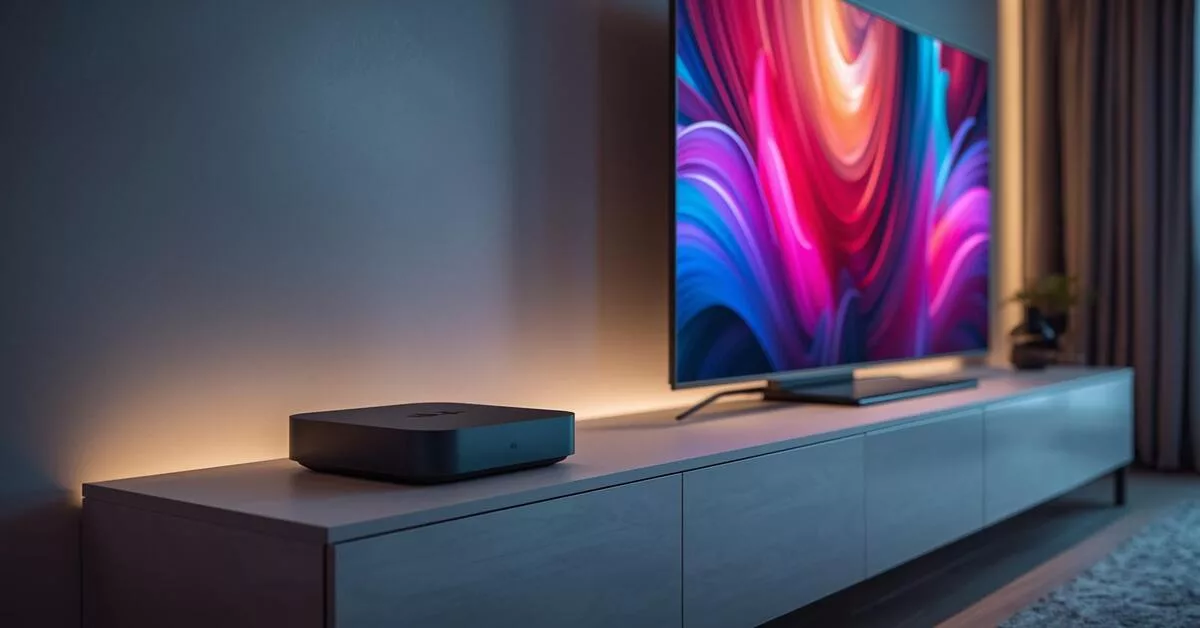
Xiaomi’s TV Box S 2nd Gen is one of those gadgets that makes you wonder why you waited so long. About the size of a flattened wallet, it slips behind your TV and pumps out 4K at 60fps without fuss. Netflix, YouTube, meWATCH – they’re all there on the Google TV interface, and setup takes less time than brewing a pot of coffee.
There’s no gaming horsepower here, but for families or couples who just want to turn a plain panel into a smart telly, it’s hard to argue with the price. The built-in Chromecast means you can throw videos from your phone onto the big screen when someone wants to share holiday clips.
If your TV is just for Netflix and meWATCH, stop scrolling. This flat little box hides behind the screen and pumps out 4K without drama. Setup takes minutes – you can do it after dinner and still catch the news. For the household that wants zero questions and all the answers.
Address: 229 Lavender Street, Singapore 338778 (Service Centre)
Phone: +65 8581 4530
Website: mi.com
Price range: Budget-friendly entrant
Suits: anyone upgrading an older TV, first-time smart home dabblers, or parents who want the kids to have simple access without remortgaging the house.

We compile these ourselves and take suggestions. If your business belongs on this list, tell us why.
Also worth a look: Best Phone Brands Sold in Singapore — when the contract is finally up.
NVIDIA Shield
The NVIDIA Shield TV Pro is what happens when a gaming graphics company decides to build a streaming box. AI-enhanced 4K upscaling makes older shows look eerily sharp, Dolby Vision and Atmos hand your ears a treat, and the box doubles as a Plex media server if you’re into that kind of thing. GeForce NOW cloud gaming turns it into a console-light, so you can pick up where your PC game left off, right on the couch.
It’s not small, and it’s not cheap, but people who care about picture and sound treat it as the reference point. The remote even has a backlit button and a lost-remote finder – little details that make a difference after a long day at work.
You want more than basic streaming. AI upscaling sharpens old favourites, and GeForce NOW turns the living room into a light gaming corner. Set aside a quiet afternoon to explore its full kit – after that, movie nights hit different. For the one who treats free time like a quality session.
Address: 6001 Beach Road, #15-01 Golden Mile Tower, Singapore 199589
Phone: +65 6722 7100
Website: nvidia.com/shield
Price range: Premium tier
Suits: home theatre enthusiasts who love tinkering, gamers who want a secondary setup, and anyone who has invested in a good sound system and a 4K TV and wants to feed it properly.

If you are already set on a streaming box, you might be comparing Streaming Services in Singapore to go with it.
Google TV Streamer
The Google TV Streamer feels like Google finally gave its streaming box the attention it deserved. It comes with 32GB of storage – generous for apps and offline downloads – and a hands-free Google Assistant that hears you from across the room. The design is minimalist, a low pebble-like slab that sits neatly under the TV rather than dangling behind it.
Dolby Vision and a smooth, ad-light interface make it a strong centrepiece for a household already running Google Nest speakers, smart lights, or a Pixel phone. You can ask it to show your doorbell camera feed while you’re halfway through a show, which is exactly the kind of integration people pay for.
This slab sits neatly under the telly, and the hands-free assistant hears you from the sofa, so the remote can stay lost. Homes already on Google will feel it click. Your interface stays clean, your time stays yours. A fuss-free pick for people who hate hunting for buttons.
Address: 12 Kallang Ave, #03-03 Aperia Mall, Singapore 339511 (Service Centre CTDI Singapore)
Phone: +65 6230 7928
Website: store.google.com
Price range: Mid to upper-mid
Suits: Google ecosystem households, families who use voice commands to control their day, and anyone who wants a large app library with a clean, personalised home screen.

Amazon Fire TV
The Amazon Fire TV Cube takes the familiar Fire TV stick formula and gives it a brain. It is a full streaming box with Alexa built in, so you can switch on your TV, adjust the volume, or dim the smart lights all by voice while your phone stays on the coffee table. 4K streaming feels snappy, and the cube itself works as a basic home theatre hub, controlling soundbars and receivers over infrared.
It is deeply tied to Amazon’s content world – Prime Video, Freevee, and the app store – but streaming apps like Netflix, Disney+, and YouTube are all there. If your home already answers to “Alexa,” this box feels like the natural next step.
If Alexa already controls your lights and weather, adding this box makes your evening a single voice command. Volume, playback, even the blinds – handle it without lifting a finger. It lives deep in Amazon’s world, and if you do too, your couch time just got shorter setup and longer chill.
Phone: +65 6722 0300
Website: Amazon.sg
Price range: Mid-range
Suits: Alexa households, die-hard Amazon shoppers, and anyone who wants a voice-first remote control for both streaming and basic home theatre gear.

Mecool
Mecool’s KM2 PLUS is the kind of box that quietly does everything well. It is Google-certified, so you get the proper Android TV experience with Chromecast built in, full 4K HDR and Google Assistant. The interface runs smoothly, and app compatibility is broad – you can install media players, VPNs for overseas content, and even a few light games.
What sets it apart is that you can walk into Sim Lim Square, see the unit, and walk out with it the same day. No waiting for shipping while your weekend binge plans hang in the air. The price stays friendly enough that you still have budget left over for a proper HDMI cable.
Walk into Sim Lim, see the unit, take it home. Google certification means proper apps right out of the box, and extra room to zhng later with a VPN or media player. For the hands-on buyer who wants local support and a device that does not playact, this is your steady pick.
Address: #05-50 Sim Lim Square, 1 Rochor Canal Road, Singapore 188504
Phone: +65 6334 1373
Website: mecool.com
Price range: Good value mid-tier
Suits: tech-savvy buyers who want an official Android TV experience, folks who like to pick up gadgets in person, and households with a mix of local and international streaming needs.

While you are upgrading your home electronics, you might also look at the Finest Digital Locks in Singapore to make your smart home complete.
UKOBOX
UKOBOX solves a different problem: you want local Mediacorp channels in crisp HD without eating your home broadband data or dealing with an app that buffers during the evening news. It is a DVB-T2 digital TV receiver box, so you plug in your existing indoor antenna and get channels like Channel 5, CNA, Suria and Vasantham over the air. Wi-Fi support means you can still run lightweight streaming apps on the side.
For older folks who miss the straightforward button-press of broadcast TV, or for anyone who watches live sports on free-to-air, this is a no-fuss box that does not need a monthly subscription. Setup is minimal – scan for channels and you’re done.
You want Channel 5 and CNA without data hiccups during the evening broadcast. This little box hooks to your antenna and delivers over-the-air HD cleanly. Keep it for live news and events, leave the heavy streaming to another gadget. A simple fix for households that refuse to let the news lag.
Address: 39A Jalan Pemimpin, #03-116 Halcyon Building, Singapore 577183
Phone: +65 8656 1744
Website: Lazada store
Price range: Very budget-friendly
Suits: households that rely on live local TV, elderly family members who just want to press “1” for Channel 5, and anyone who wants a backup for days when the internet acts up.

Sonos
Sonos Port is not a traditional TV box – think of it as a high-end audio bridge. It connects to your existing stereo or amplifier and streams music services, and when plugged into a TV setup, it brings lossless audio and multi-room synchronisation that entry-level boxes only dream about. If you already own Sonos speakers around the house, the Port ties your TV sound to every room, so you never miss a moment of commentary when you walk to the kitchen.
This one lives at The Adelphi, ground zero for serious audio in Singapore, so you can audition it before committing. It pairs well with a discrete streamer like a Chromecast or Apple TV for the visuals, while the Sonos handles the sonic weight.
This is not a regular streaming box – it bridges your TV audio to every Sonos speaker in the flat. Dialogue follows you to the kitchen. If you already own the ecosystem, plugging this in takes a few minutes and completes your whole-home sound. No new remote, no extra learning curve.
Address: 1 Coleman St, #01-17 The Adelphi, Singapore 179803
Phone: +65 6334 5566
Website: sg.tcacoustic.asia
Price range: Premium audio investment
Suits: audiophiles with existing hi-fi gear, Sonos ecosystem users, and anyone who prioritises sound quality over built-in apps in their TV box.

We compile these ourselves and take suggestions. If your business belongs on this list, tell us why.
If any of these boxes inspire a full living room refresh, you might enjoy our guide to Unveiling Singapore’s Premier Curtain Shops to set the stage properly.
How to choose
The most important question is what you actually watch. If the answer is mostly local live broadcasts – Channel 8 dramas, the 9pm news, live soccer on free-to-air – the UKOBOX covers that without touching your Wi-Fi. For everything else, you want a box that runs either Google TV or Fire TV and supports the streaming apps you already pay for.
Gamers should look squarely at the NVIDIA Shield TV Pro. Its AI upscaling and GeForce NOW support are unique at this price, and it handles high-bitrate files better than any competitor. Families that use voice commands to control smart devices will lean toward Amazon Fire TV Cube (Alexa) or Google TV Streamer (Google Assistant).
Price varies widely. A simple digital receiver box costs under S$40, while a fully loaded Shield or Sonos Port can cross the S$300 mark. Most solid 4K streamers sit between S$70 and S$150. Decide what you need to plug into your TV – and whether you already have a sound system to match – before you open your wallet.
| Model | Best for | 4K & HDR | Gaming | Voice assistant | Storage |
|---|---|---|---|---|---|
| Xiaomi TV Box S 2nd Gen | Affordable smart upgrade | Yes (4K/60fps) | Casual only | Google Assistant | 8GB |
| NVIDIA Shield TV Pro | Home theatre & gaming | AI-up. Dolby Vision | GeForce NOW | Google Assistant | 16GB |
| Google TV Streamer | Google home integration | Dolby Vision | Limited | Hands-free Google | 32GB |
| Amazon Fire TV Cube | Alexa smart home | 4K | Casual | Alexa (hands-free) | 16GB |
| Mecool KM2 PLUS | All-round Android TV | 4K HDR | Light gaming | Google Assistant | 8GB |
| UKOBOX | Local digital TV | No (HD only) | No | No | Check with the business |
| Sonos Port | Premium audio integration | Via TV source | No | No | Check with the business |
Summary
There is a TV box for every setup in Singapore, from a basic digital receiver that keeps your parents company to a gaming-capable streamer that makes movie night feel like a private cinema. The Xiaomi and Mecool boxes give you full Android TV on a modest budget, while the NVIDIA Shield and Google TV Streamer push performance and integration further. Match the box to the life you already lead, and you will wonder why you put up with the TV’s built-in menu for so long.
Details may change after publication; please confirm directly with the business before heading down.
Read next
Frequently asked questions
Can I watch local Mediacorp channels on these boxes?
Most boxes require an app like meWATCH and an internet connection. The UKOBOX is the exception – it receives DVB-T2 digital TV signals directly so you can watch local HD channels without Wi-Fi or data.
Which TV box should I get for gaming?
The NVIDIA Shield TV Pro is the standout. It supports GeForce NOW cloud gaming, AI-enhanced 4K upscaling, and runs emulators smoothly. Light gaming is possible on other Android boxes, but the Shield is built for it.
Do I need a 4K TV to use these boxes?
No, they all work with a regular 1080p TV. To enjoy 4K resolution and HDR, however, you would need a 4K television. The box will automatically output the best signal your TV can handle.
Are these boxes easy to set up?
Yes. They connect to your TV via HDMI and to your home Wi-Fi network. On-screen wizards walk you through signing into your Google or Amazon account and downloading apps, usually in under ten minutes.
Can I use voice commands to search or control playback?
Many support voice. Xiaomi, Mecool, NVIDIA Shield and Google TV Streamer all have Google Assistant (the Streamer hands-free), while Amazon Fire TV Cube uses Alexa. UKOBOX and Sonos Port do not have voice control on their own.
Where can I buy a TV box in Singapore?
Online retailers like Lazada, Shopee, and Amazon.sg carry most models. Physical stores include Sim Lim Square (Mecool), major electronics chains, and audio specialist outlets like The Adelphi for Sonos. Official brand websites also ship directly.