Last updated 7 August 2026. This page was reviewed on that date. Prices, rates and opening hours change often in Singapore — confirm anything that matters directly with the business before you travel or spend.
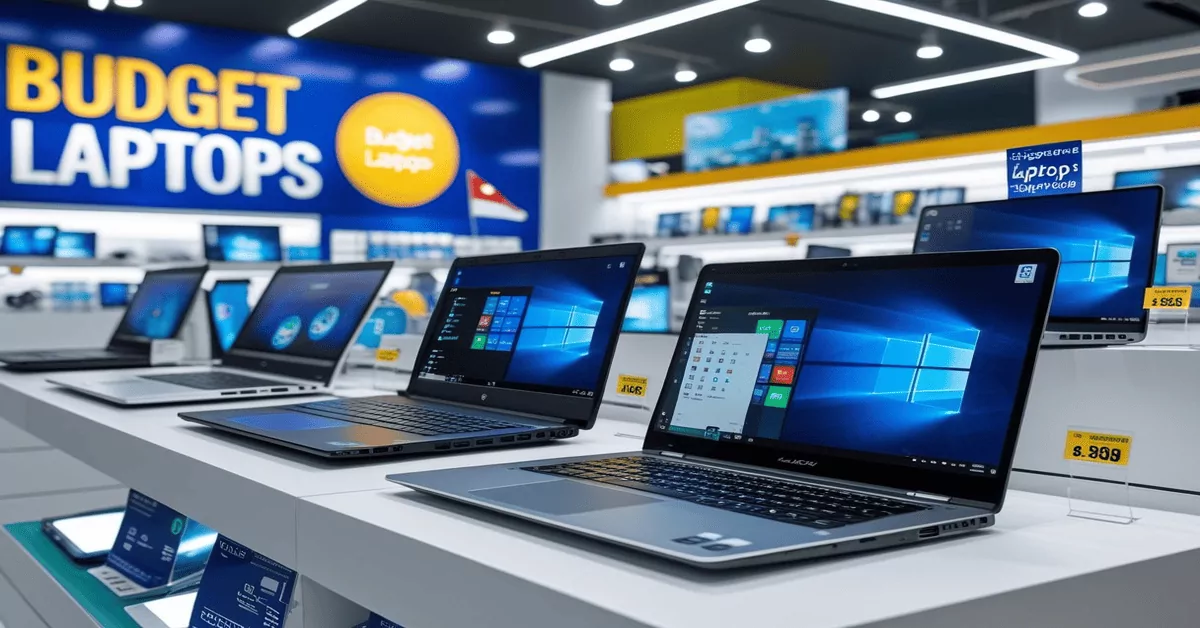
Quick answer: The Acer Aspire 3 is the dependable all-rounder, Asus Vivobook Go 15 wins on portability and AI smarts, Dell Inspiron 15 brings sturdy, two-in-one polish, Lenovo ThinkBook 16 is for those who type all day, HP’s Chromebook Plus x360 is a family-friendly convertible, MSI Modern 14 quietly handles light creative work, and the M1 MacBook Air is still the battery-life king if you’re already in the Apple world—all coming in under S$1,200.
If you need a laptop without the budget focus, you might enjoy the insights in Your Night Owl Laptop Plan Across Singapore.

Choosing a budget laptop for the household feels a bit like packing a school bag at 7am—someone always needs something different, and the charger is already MIA. None of these picks will make you a hero at the next parent chat, but each one quietly handles the real stuff: school portals, lunch-hour Netflix, the report you forgot was due tomorrow. Pick the one that fits the most hands in your house.
This is one of 64 guides in Best Phones & Computers in Singapore — start there if you would rather compare before you commit.
Once you’ve sorted your laptop, you might also be eyeing Budget Monitors in Singapore for your desk setup.
Acer
Acer has been the steady kaki for anyone who wants a laptop that just works—no drama, no empty wallet. The Aspire series is what you grab when you need a machine that handles your reports in the morning and streams your drama at night without hunting for a charger halfway. The battery life on these things is no joke: 14 hours means you can leave the power brick at home and not break out in cold sweat.
You’re looking at the Acer Aspire 3 and Aspire Lite 15, packing AMD Ryzen processors, up to 16GB of RAM, and proper SSD storage so startup is swift. Wi-Fi 6 keeps your video calls from turning into pixelated messes even when the café gets crowded. It’s the kind of laptop that makes you wonder why you’d ever spend more.
Students who camp at the library till late, office folks who need a second workhorse, or anyone who secretly binges shows after the family sleeps—this is for you. PCMag even called the Aspire 3 the “best budget laptop for most buyers”, and frankly, it’s hard to argue when the battery lasts longer than your boss’s meeting.
Where to find them:
Acer Building, 29 International Business Park, #01-01 Tower A, Singapore 609923
Phone: +65 6563 6563
Hours: Mon–Tue & Thu–Fri 8:45am–5:15pm, Wed 8:45am–7:45pm, Sat 9am–12pm (closed Sun)
Website: Acer Singapore

A parent juggling a work deadline while a tired child needs an hour of cartoons will find their ally in this machine.
Asus
Asus Vivobooks feel like they were designed for Singapore’s dance between home, office, and the third-wave coffee joint. The Vivobook Go 15 and Chromebook Plus CX34 slip into your bag without weighing you down, and they start up fast enough that a sudden “can you join this call” doesn’t send you into a panic. They’ve tucked in some AI tools too, which can tidy up your video background or tweak your mic settings without you even asking.
These models run on solid Intel Core or AMD Ryzen processors, with up to 8GB RAM and bright FHD screens that don’t make your eyes sian after a few hours. The keyboard has a nice bounce—you’ll actually want to type on it, which is rare at this price. It’s the commuter’s dream: light, decent battery, and zero fuss.
If your day involves a lot of moving around, or you’re a student who’d rather spend your allowance on bbt than on a heavy machine, Asus is a solid pick. RTINGS gave the Chromebook Plus props for its CPU performance and comfy keyboard, and Asus has picked up CES Innovation Awards, so you know they’re not playing around.
Where to find them:
8 Burn Road, #11-16 Trivex, Singapore 369977
Phone: +65 6636 9163
Hours: Mon–Fri 9:30am–5:30pm, Sat 9:30am–12:30pm (closed Sun & PH)
Website: Asus Singapore

None of these are sponsored placements. If you belong on this list, tell us what you do.
Perfect for the secondary-school student who slides it into a backpack between CCAs and tuition. It wakes up from sleep almost instantly, which saves that precious thirty seconds before a group project Zoom link expires. The AI tools handle background tidying automatically, so you do not need to remind them to clear the mess behind their chair.
As you compare budget options, a gaming laptop might suit your needs, so check out The Gaming Laptop That Earns Its Price in Singapore.
Dell
Dell has that dependable, don’t-worry-lah kind of energy. The Inspiron 15 and Inspiron 14 2-in-1 feel built to last, with hinges that don’t turn wobbly after six months and a chassis that can survive being tossed into your work bag day after day. The speakers are surprisingly full for a budget laptop—good enough that you might not reach for your earbuds during lunch.
Inside, you get Intel Core i5 processors, up to 16GB RAM, and a 512GB SSD. The 14-inch version flips into a tablet when you want to sketch ideas or read on the sofa. It’s the kind of machine that makes your desk look a bit more serious without having to explain the price to your accountant.
Professionals who want a laptop that can morph between presentation mode and tablet mode, or anyone who’s ever had a flimsy laptop give up in the middle of a deadline, will appreciate Dell’s attention to build quality. RepairX noted the Inspiron 15 as a top performer per dollar, and PCMag has handed them Editor’s Choice awards more than once.
And if you’re planning a weekend break, our Budget Hotels in Singapore guide may also come in handy.
Where to find them:
1 Magazine Road, #07-01 Central Mall Office Tower, Singapore 059567
Phone: 1800 394 7486
Hours: Mon–Fri 9am–6pm (closed weekends & PH)
Website: Dell Singapore

If an adult in the house is known for being a little rough with gadgets, this is a gentle nod to durability. The sturdy build survives a commute on a crowded MRT train, and the sound quality is rich enough that you can follow a recipe video without straining to hear. It is the steady work companion that does not need kid-glove treatment.
Lenovo
Lenovo understands that a keyboard is not just a keyboard—it’s what stands between you and a three-hour report. The ThinkBook 16 Gen 7 gives you a typing experience that’s nearly plush, with deep enough travel that your fingertips don’t feel like they’re banging against a table. And ports? Plenty of them, so you don’t have to carry a dongle for your dongle.
It runs on Intel Core Ultra processors with 16GB of RAM, and the 16-inch screen means you can actually see your spreadsheets without scrolling sideways every five seconds. For those who game a little on the side, Lenovo also has entry-level gaming options under S$1,000—enough to unwind after a long week without melting your lap.
This one is for the desk-bound warriors, the folks who write long emails and live in Excel. Or the student who just wants a machine that won’t let them down during project crunch time. PCMag called the ThinkBook “better-than-average”, and Lenovo’s Red Dot Design Awards suggest they care about how it looks on your table too.
Where to find them:
151 Lorong Chuan, #02-01 New Tech Park, Singapore 556741
Phone: 800 601 1481
Hours: Mon–Fri 9am–6pm (closed weekends & PH)
Website: Lenovo Singapore

This one is for the person who writes long reports after the kids are in bed. The keyboard has a soft, substantial feel that makes a two-hour typing session less of a chore, and the multiple ports mean you can plug in a mouse and a thumb drive without hunting for a dongle. A quiet, capable machine for getting real work finished.
HP
HP’s Chromebook Plus x360 is the one you buy when the whole family needs a piece of it. The screen folds all the way back into a tent, so your kid can doodle on Google Canvas while you steal it later for your Netflix queue. The colours pop, the touchscreen is responsive, and it doesn’t look out of place whether it’s on the dining table or propped up in bed.
Powered by an Intel Core i3, 8GB RAM, and enough storage to keep Chrome OS snappy, it also throws in some AI perks like Gemini integration that can help you draft emails or summarise that long article you were meaning to read. Compact, convertible, and cheerful—it’s a Chromebook that doesn’t feel like you settled.
Families who need one device that does homework and streaming, or anyone who wants a lightweight machine for sofa surfing, will find this one hard to resist. PCMag praised its convertible design, and HP has scooped up multiple CES awards for making budget computing feel, well, not budget.
For those who’d rather spend on a meal than a machine, BBQ Restaurants in Singapore Savor Flavors for Every Craving could be a treat.
Where to find them:
1 Depot Close, Singapore 109841
Phone: 1800 278 0182
Hours: Mon–Fri 9am–5:30pm (closed weekends & PH)
Website: HP Singapore

The household laptop that lives on the dining table and takes on every role. Its screen flips into a tent for a child’s drawing app, then snaps back for your partner’s evening web browsing. The touchscreen is bright and responsive, making it feel fresh and modern even when shared among family members with vastly different logins and bookmark bars.
MSI
MSI isn’t only about those flashy RGB gaming rigs. The Modern 14 is the quiet achiever—a slim machine with a Ryzen 7 processor and 16GB of RAM that can handle your design software or video edits without sounding like a jet engine. It looks understated enough to bring to a client meeting, but underneath it’s got enough muscle for light creative sprints.
The FHD display is colour-accurate for a budget laptop, which matters if you’re tweaking images or putting together a pitch deck with photos. It also handles everyday office tasks breezily, so you don’t have to choose between your side hustle and your day job. For the money, you get a fair bit of subtle power.
If you’re a poly student doing media modules, a freelancer who cuts videos in a kopitiam, or just someone who wants a laptop that won’t choke on a dozen browser tabs, the Modern 14 is worth a serious look. RepairX flagged it as ideal for light creators, and MSI’s Computex awards back up their experience in squeezing value out of every dollar.
Where to find them:
24 Sin Ming Lane #01-100, Singapore 573970
Phone: 8828 8180
Hours: Mon–Fri 10am–7pm, Sat 10am–3pm (closed Sun & PH)
Website: MSI Singapore

An older teen starting a creative portfolio or editing a school project video can rely on this machine.
Apple
The M1 MacBook Air is already a few years old, but it still makes other budget laptops sweat. The battery life alone—up to 29 hours of video playback—means you can forget your charger for a weekend trip and not even flinch. The Retina display makes everything from spreadsheets to Netflix look crisp, and the fanless design means no whirring, ever.
It’s the entry ticket to the Apple ecosystem, so if you already have an iPhone or iPad, the way everything syncs—messages, photos, even your clipboard—feels like a small luxury. At under S$1,200 for an older model or on sale, you get that aluminium unibody that still turns heads in a library or a café. It is the don’t-think-just-buy option for anyone already living the Apple life.
Students writing essays, creative freelancers working in Final Cut Pro or Logic, or simply the person who hates fan noise while scrolling—this is for you. PCMag rated it a top pick for value, and the iF Design Gold Award sitting on Apple’s shelf reminds you they haven’t cut corners on build.
None of these are sponsored placements. If you belong on this list, tell us what you do.
Where to find them:
270 Orchard Rd, Singapore 238857
Phone: 1800 699 2824
Hours: Daily 10am–10pm
Website: Apple Singapore

How to choose
Start with what you actually do every day, not what you think you might do one day. If you live in documents and emails, a comfortable keyboard and long battery matter more than raw power—Lenovo and Acer shine there. For those always on the move, weight and boot-up speed matter; Asus and Apple are the lightweights that don’t lag. If you want one device that flips into a tablet for reading or sketching, Dell’s 2-in-1 and HP’s Chromebook x360 are the obvious picks. Creatives—even light ones—should lean towards MSI’s Ryzen 7 or the M1 MacBook Air’s robust software ecosystem. Be honest about whether you can live with Chrome OS; it’s fast and fuss-free but limited to web apps and Play Store downloads.
Price-wise, S$700–S$1,200 opens up everything on this list. Chromebooks often start under S$600, while a well-specced Windows machine with 16GB RAM will push closer to the S$1,000 mark. Check for ongoing promotions on the brands’ official stores—some toss in freebies like a mouse or a bag that can sweeten the deal. And if you’re undecided, our Finest Laptops in Singapore guide rounds up a wider spread of machines if your budget has some stretch.
| Brand | Model Example | Price Range | Standout Feature | Best For |
|---|---|---|---|---|
| Acer | Aspire 3 | Under S$1,200 | 14-hour battery, Wi-Fi 6 | Students, everyday work-from-anywhere |
| Asus | Vivobook Go 15 | Under S$1,200 | Lightweight, AI tools | Commuters, coffee-shop workers |
| Dell | Inspiron 15 / 14 2-in-1 | Under S$1,200 | Sturdy build, 2-in-1 hinge | Professionals, presentation mode users |
| Lenovo | ThinkBook 16 Gen 7 | Under S$1,200 | Comfortable keyboard, extensive ports | Office workers, heavy typists |
| HP | Chromebook Plus x360 | Under S$1,200 | Convertible touchscreen, colourful display | Families, casual browsing & streaming |
| MSI | Modern 14 | Under S$1,200 | Ryzen 7 for light creative work | Freelancers, media students |
| Apple | MacBook Air (M1) | Under S$1,200 | 29-hour battery, MacOS ecosystem | Apple users, long-battery lovers |
Summary
Whether you need a battery that outlasts your kopi breaks or a screen that makes spreadsheets less sian, there’s a budget laptop here for you. From the marathon-running Acer Aspire to the fold-away HP Chromebook and the still-sleek M1 MacBook Air, each one proves you don’t have to drain your bank account to get a machine that keeps up with your life. Pick based on your daily rhythm, and you’ll wonder why you ever thought a good laptop had to cost a fortune.
Disclaimer: All details were correct at the time of writing but can change—promotions, pricing, and operating hours shift. Always confirm directly with the business before heading down.
Read next
Frequently asked questions
For the parent who wants to be in the same room more often. The M1 MacBook Air’s battery easily lasts from breakfast cartoons to bedtime stories, so you can work at the dining table without hunting for a socket. Its silent, fanless body means zero disruption during a much-needed nap. A simple way to turn a hurried evening into a quiet, side-by-side kind of day.
Which budget laptop has the longest battery life?
The Apple MacBook Air (M1) leads with up to 29 hours of video playback, while the Acer Aspire 3 delivers up to 14 hours—both strong enough to leave your charger at home.
Are Chromebooks worth it in Singapore?
Yes, if your work lives in a browser and apps from Google Play. The HP Chromebook Plus x360 is a great example: fast to start, easy to use, and folds into a tablet. Just be aware some professional software may not run on Chrome OS.
Can I play games on these budget laptops?
Most are built for everyday tasks, but Lenovo offers entry-level gaming models under S$1,000 and the MSI Modern 14 can handle light gaming. For serious gaming, look at dedicated gaming laptops—these are for work and casual play.
What warranty do these brands offer in Singapore?
Standard coverage is usually one year, though some models or promotions extend to two years. Always check with the brand’s official service centre or website for the exact terms before you buy.
Which is the lightest laptop on this list?
The Asus Vivobook Go 15 and the Apple MacBook Air (M1) are both designed for portability, weighing under 1.3kg, so they slide into a bag with minimal fuss.
Do I need a lot of RAM for a budget laptop?
8GB is the sweet spot for smooth browsing, office work, and streaming. If you run heavier software or keep dozens of tabs open, a model with 16GB like the Acer Aspire 3 or Lenovo ThinkBook will save you from seeing the spinning wheel.