Last updated 7 August 2026. This page was reviewed on that date. Prices, rates and opening hours change often in Singapore — confirm anything that matters directly with the business before you travel or spend.
Quick answer: HP and Lenovo serve the corporate crowd with secure, reliable workhorses. Acer and ASUS balance cost and clever design for home offices. If you build to spec, Gigabyte barebone kits give you full control. Beelink ships straight to your door with capable AMD-based rigs, and Sim Lim Square lets you touch, compare, and bargain across all of them in a single afternoon.
Buying a mini PC by yourself need not feel like a tech maze. These palm-sized machines free up desk space and tuck neatly behind a monitor, so you can set up quietly without a tower blocking the view. Whether you work from a corner at home or a hotdesk, the right one makes all the difference—and you can walk into a shop or order online without an entourage. Here is how locals actually do it.

Part of Best Phones & Computers in Singapore: 64 guides covering this ground, for the wider view before you choose.
HP
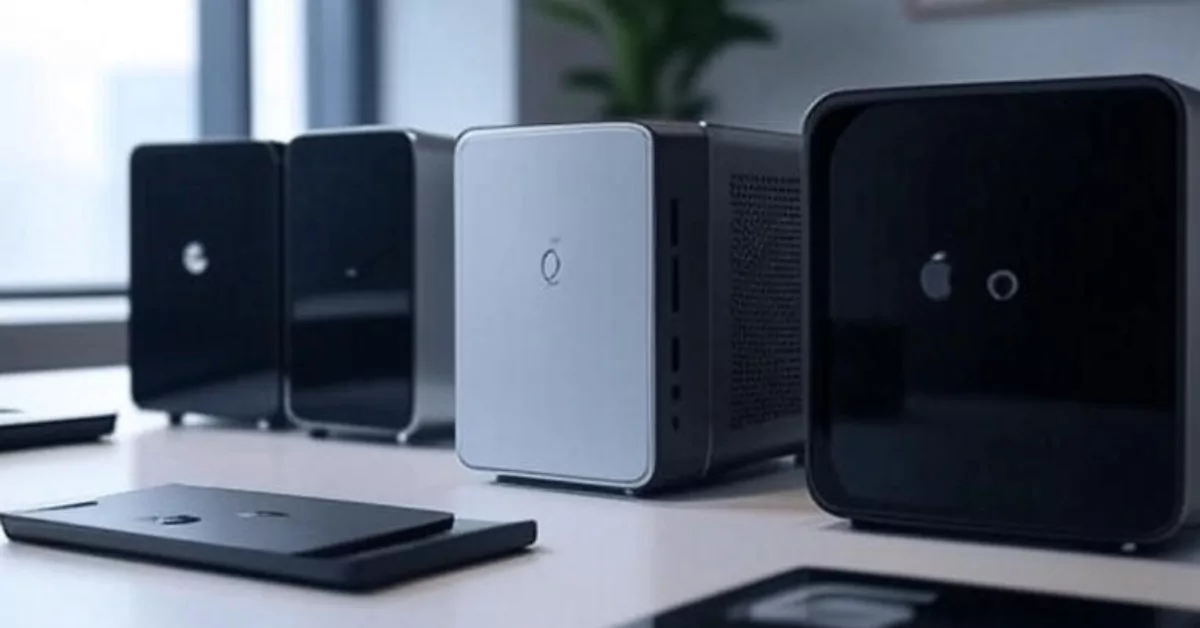
HP mini PCs are the sort of kit IT managers lose sleep over for the right reasons—tight engineering, solid security, and machines that sit quietly under a monitor for years without complaint. The Elite Mini 800 G9 and Z2 Mini G9 run on Intel Core processors with up to 64 GB of memory and zippy SSD storage. What makes them more than a fast box is the baked-in Wolf Pro Security and ENERGY STAR rating, so you can keep the office green and the IT audit happy at the same time. Multi-monitor support comes standard for anyone who plans to stretch a spreadsheet across three screens.
HP’s mini PCs feel like an IT department’s quiet overachiever—security and efficiency pre-installed. For someone setting up alone, the solid build and Wolf Pro Security mean you plug in, update once, and get on with work. No calls to tech support needed, which is a blessing when you are on your own.
Address: 1 Depot Close, Singapore 109841
Phone: 1800 278 0182
Hours: Monday to Friday, 9:00 AM – 6:00 PM
Price: Mid to upper range; you pay for enterprise build quality.
HP Singapore
If your desk is in a swanky Raffles Place office and downtime is not in the vocabulary, these are a natural fit. They also make sense for the eco-minded home user who wants a small footprint both physically and electrically.

We compile these ourselves and take suggestions. If your business belongs on this list, tell us why.
Acer
Acer does something quite practical: it gives you a lot of computer in a tiny chassis without making your wallet cry. Their mini PCs come with VESA mounting hardware in the box, so you can tuck the whole thing behind your display and reclaim the desk. There is a real sense of set up and forget here—full desktop capability, no tower, no clutter.
The lineup runs Intel’s latest hardware for smooth daily work, streaming, or running a digital sign in a retail shop. It is built for Singaporean condos and small offices where floor space is not a luxury, and it handles the heat quietly enough that you won’t be reminded it exists.
If you want your desk to look like a desk, not a tech warzone, Acer’s mini PC comes with the mounting kit ready. You can hang it behind your screen in minutes—no second pair of hands required. It is a quiet sort of victory when you slide into your chair and see nothing but your monitor and a coffee.
Address: 29 International Business Park, #01-07 Acer Building, Tower A, Singapore 609923
Contact: 1800-8956299 | [email protected]
Hours: Monday to Friday, 8:45 AM – 5:15 PM
Price: Budget to mid-range; strong value for the specs.
Acer Singapore Store
This one is for the uni student kitting out a dorm room, the young family setting up a shared PC in the hall, or the business owner who needs three units for the front counter and wants them all to disappear behind the monitors.

Beelink
Beelink is the direct-to-you player that has been quietly winning over the enthusiast crowd. The GTR9 Pro and SER9 Pro pack AMD Ryzen processors into tiny metal boxes with WiFi 6 and enough ports to make a docking station jealous. These are not just office machines—they have the AI chops and graphics muscle for light content creation or a gaming session when you knock off.
Because Beelink is online-only, there is no showroom to visit. But they ship free worldwide and offer a 30-day risk-free trial, which takes the edge off buying a PC you haven’t held. The price sits in a sweet spot where you feel like you got more than you paid for.
Beelink is for the person who researches specs late at night and prefers clicking ‘buy’ to talking to a salesperson. The metal chassis feels substantial, and setting up the GTR9 Pro is straightforward—plug in keyboard, mouse, monitor, and you are two minutes from a desktop that handles more than spreadsheets. A good fit if you like doing things on your own terms.
Address: Online-only service accessible from Singapore
Contact: +86-0755-36633117 | [email protected]
Hours: Monday to Friday, 9:00 AM – 6:00 PM (GMT+8)
Price: Affordable to mid-range; high spec-per-dollar.
Beelink Official
If you’re the kind of person who researches CPU benchmarks for fun and wants a capable little rig without paying the big-brand tax, this is your pick. Also works great as a living-room PC for Netflix and some weekend gaming.

Gigabyte
Gigabyte comes at mini PCs from its motherboard heritage, which means raw component quality and a “build it your way” attitude. The BRIX series—models like the GB-BRU5-225H with Intel Core Ultra—shows up as a barebone unit. You add your own RAM and storage, targeting the exact spec you need. It supports four 4K displays and 2.5G LAN for fast networking, all while running cool and quiet.
The VESA mount is in the box, so the whole setup can live behind a screen in a boutique design studio or a trading desk without anyone seeing a single cable. It rewards people who know exactly what they want and enjoy the build process.
Gigabyte hands you the bones and lets you build the muscle. This suits the sort of person who does not mind opening a tiny case and slotting in memory sticks—quietly satisfying, like assembling flat-pack furniture alone on a Sunday. The BRIX runs four 4K screens, so if your work demands a panoramic view, you are sorted without a towering desktop.
Address: 112 Middle Road, #03-01 Midland House, Singapore 188970
Phone: +65 6285 7747
Hours: Monday to Friday, 9:00 AM – 6:00 PM
Price: Mid-range for barebone kits; final cost depends on your parts.
Gigabyte Singapore
Custom-build fans and IT folk who already have a drawer of SSDs will take to this naturally. It is also a sensible choice for digital signage or control-room work where specific hardware is non-negotiable.

We compile these ourselves and take suggestions. If your business belongs on this list, tell us why.
ASUS
ASUS splits its mini PC offering into two clear camps: the PN Series on Intel or AMD for general productivity, and Chrome OS devices that lean heavily into cloud work and Android app support. Both handle 4K video, crisp audio, and video calls without breaking a sweat. For a hybrid workforce bouncing between home and hotdesk, a PN unit is small enough to slip into a bag and powerful enough to drive a proper monitor setup at either end.
The build quality is the sort you notice the first time you pick it up—dense, well-finished, no sharp edges. It is a machine that looks at home next to an interior designer’s iMac or in a law firm’s meeting room.
For anyone moving between home and a shared workspace, ASUS mini PCs tuck into a bag like a thick novel. The PN Series is small enough that you will not dread the commute, and it powers a full monitor setup when you arrive. Setting up at a hotdesk alone feels less intimidating when all you need is one cable and a login.
Address: 8 Burn Road, #11-16 Trivex, Singapore 369977
Phone: +65 6636 9163
Hours: Monday to Friday, 9:00 AM – 6:00 PM
Price: Mid-range; Chrome OS models often more affordable.
ASUS Singapore Contact
Good for the professional who wants a machine that looks the part in a client-facing room. Also, if your workflow lives in Google Workspace, the Chrome OS models are a fuss-free path to a tidy desk.

Lenovo
The IdeaCentre Mini and ThinkCentre lines show Lenovo knows its audience: people who want it fast, stable, and backed by a warranty that actually means something. Packed with Intel processors, plenty of storage, and wide connectivity, these boxes are built for the grind of daily work—spreadsheets, Teams calls, CRMs, the lot. The ThinkCentre models in particular carry the kind of quiet confidence you’d associate with a brown-box Dell from a decade ago, except smaller and smarter.
They slot into hybrid work settings especially well. The port selection is generous, so you don’t need a dongle hanging off for the basics, and the compact shape means you can genuinely carry it between office and home without a dedicated bag.
Lenovo’s ThinkCentre box has the kind of reliability that lets you forget it is even there. If you are working alone and lack an IT desk to call, the solid warranty is reassuring—just keep the box upright, connect the cables, and it chugs along quietly. It is the sensible choice when you want one fewer thing to worry about.
Address: 151 Lorong Chuan, #02-01 New Tech Park, Singapore 556741
Phone: 800 601 1481
Hours: Monday to Friday, 8:30 AM – 6:30 PM
Price: Mid to upper range; ThinkCentre models are enterprise-priced.
Lenovo Singapore
Ideal for the corporate buyer provisioning a team, or the home-office warrior who wants the same machine the IT department would have issued—reliable, secure, and boring in the best way.

Sim Lim Square
No brand list is complete without the place where you can physically compare all of them side by side. Sim Lim Square is not a single provider, but a whole building of shops carrying mini PCs from ASUS, Intel NUC kits, and a rotating cast of brands that changes by the week. You walk in with a spec sheet and a budget, and you walk out with a machine—or three.
Vendors here carry VESA mounts, spare cables, and the kind of accessories that are a pain to source online. Prices are competitive if you are willing to ask around, and being able to see the unit in person before buying is worth the trip for anyone who wants to be sure about dimensions and build feel.
Walking into Sim Lim Square alone with a list of specs feels like a rite of passage. You are not at the mercy of one brand—you can drift from shop to shop, compare mini PCs on the counter, and ask questions only when you are ready. The unwritten rule: have your budget agak agak in mind, and do not be paiseh to walk away.
Address: 1 Rochor Canal Road, Singapore 188504
Phone: +65 6338 3859
Hours: Daily, 10:30 AM – 9:00 PM
Price: Varies widely by shop; room to negotiate.
Sim Lim Square
This is for the hands-on buyer who wants to see the ports, feel the weight, and talk specs with a shopkeeper over the counter. It’s also the fastest route if you need a mini PC today, not next week.

For those looking at other business essentials, the same research approach applies to Fire Safety Providers in Singapore and Sports Massage Providers in Singapore—dig into what matters, not just the brochure.
How to choose
Start with your operating system. If your office runs on Windows and Active Directory, stick with the enterprise names—HP, Lenovo, ASUS, Acer. If your life is Google Drive and web apps, ASUS’s Chrome OS mini PCs are simpler and often cheaper. Beelink and Gigabyte let you install your own OS, which opens the door to Linux if that’s your thing.
Decide how much DIY you can stomach. Gigabyte BRIX kits arrive without RAM or storage. That’s great if you want to handpick every component, sian if you just want to plug in and go. Beelink, HP, Lenovo, and Acer sell ready-to-run machines. Sim Lim Square straddles both—some shops sell pre-configured units, others will assemble to your spec on the spot.
What are you actually driving? A single 1080p monitor for email and YouTube? Almost any mini PC here works. Dual or quad 4K screens, light video editing, or a trading dashboard? Look at the BRIX (four 4K displays), HP Z2 Mini G9, or Beelink’s higher-end Ryzen models. If you need multi-monitor for a retail display or boardroom, confirm the exact resolution and refresh-rate support before you buy.
Warranty and support. HP and Lenovo have local service centres and on-site options. Beelink relies on remote support, which is workable but means a courier if something fails. Sim Lim Square depends entirely on the shop—ask about warranty terms before you pay, and keep the receipt somewhere you can find it two years later.
Connectivity and cooling. If your desk sits in a non-air-conditioned corner, thermal design matters. Gigabyte explicitly engineers for low-noise, low-heat operation, and several models from HP and Lenovo are built for 24/7 uptime. Fast networking is another differentiator—2.5G LAN on the BRIX and solid WiFi 6 on Beelink mean you won’t be waiting on file transfers, but confirm the exact ports if you’re wiring into a NAS or fast broadband plan. VESA mounting is near-universal across these brands, so if desk space is your main pain point, you’re covered.
Price range. Budget mini PCs start around S$300–500 for basic office work (Acer, entry ASUS Chrome OS). Mid-range S$600–1,200 gets you solid performance and more ports (Lenovo IdeaCentre, mid Beelink, ASUS PN). Above S$1,200 you are into enterprise territory with vPro, security chips, and workstation GPUs (HP Elite/Z2 Mini, Gigabyte BRIX with premium parts). Sim Lim Square pricing is case-by-case—compare at least three shops to feel out the market.
For another angle on value and long-term commitment, the thinking is not so different from picking Time Deposit Providers in Singapore for Discerning Investors—a little research upfront goes a long way.
Summary
Singapore’s mini PC market covers the whole range—off-the-shelf reliability from HP and Lenovo, clever value from Acer and ASUS, barebone freedom from Gigabyte, direct-ship performance from Beelink, and the everything-under-one-roof chaos of Sim Lim Square. The right pick depends less on brand loyalty and more on your OS preference, tolerance for setup, and what screens you plan to push pixels to.
Details can change. Confirm pricing, stock, and opening hours directly with the business before you commit.
| Provider | Best For | OS & Key Specs | Pricing Signal | Support Style |
|---|---|---|---|---|
| HP | Enterprise workstations, eco-conscious offices | Windows, Intel Core, up to 64 GB RAM | Mid to upper | Local service centre |
| Acer | Budget home office, space-saving setups | Windows, VESA mount in box | Budget to mid | Local service centre |
| Beelink | Enthusiast home use, light gaming | AMD Ryzen processors, WiFi 6 | Affordable to mid | Remote support, 30-day trial |
| Gigabyte | Custom builds, multi-display rigs | Barebone, Intel Core Ultra/AMD | Mid (plus your own RAM/SSD) | Local distributor |
| ASUS | Hybrid work, Chrome OS simplicity | Windows or Chrome OS, Intel/AMD | Mid-range | Local service centre |
| Lenovo | Corporate rollouts, reliable WFH | Windows, Intel, ThinkCentre options | Mid to upper | Local service centre |
| Sim Lim Square | Hands-on buyers, same-day purchase | Varies by shop; Intel NUC, ASUS, etc. | Negotiable | Depends on individual shop |
If your business needs run broader, a comparable checklist mindset helps when evaluating Premium Signage Providers in Singapore—find the fit, not just the name.
Disclaimer: All information has been compiled from publicly available sources. While we make every effort to ensure accuracy, we do not guarantee completeness or freedom from error. Confirm all details directly with the business before making a purchase.
Read next
Frequently asked questions
Which mini PC brand is most reliable for long-term office use?
HP and Lenovo have the strongest enterprise track record in Singapore, with local service centres and warranty programmes built for multi-year deployments. Their business lines—Elite Mini, ThinkCentre—are engineered for stability over raw speed.
Can I use a mini PC for gaming?
It depends on the model. Beelink’s GTR9 Pro with AMD Ryzen and integrated Radeon graphics can handle casual gaming and esports titles. Dedicated gaming mini PCs exist, but most on this list target productivity and media. Check the GPU specs against the games you play.
Is Sim Lim Square still a good place to buy tech?
Yes, especially for mini PCs you can inspect before buying. Competition keeps prices honest, and many shops will let you configure RAM and storage on the spot. Go with a clear spec list and compare at least three stores.
Do Beelink mini PCs ship with a local warranty in Singapore?
Beelink operates online with remote support and a 30-day risk-free return window. For warranty claims after that period, you typically deal with their support team directly and may need to ship the unit. They do not have a walk-in centre here.
What is a barebone mini PC, and who should buy one?
A barebone kit (like Gigabyte’s BRIX) includes the chassis, motherboard, and processor—but you supply the RAM, storage, and operating system yourself. It suits tinkerers and IT buyers who want full control over every component.
Which provider is best if I need a mini PC urgently today?
Sim Lim Square. The mall is open daily until 9:00 PM, and dozens of shops stock ready-to-go units. You can walk in, pick one up, and be home setting it up within the hour.