Last updated 7 August 2026. This page was reviewed on that date. Prices, rates and opening hours change often in Singapore — confirm anything that matters directly with the business before you travel or spend.
Quick answer: The best corporate gifts in Singapore come from suppliers that match your timeline and the feel you want. MeowPrint is fast and cheap for branded tees and pins from $5. GiftAssembly handles premium, put-together kits that make your brand look polished. TREA does sturdy canvas bags with design help. Singapore Corporate Gifts handles large orders and luxury awards. Gift Market shows instant prices online so you can plan without the back-and-forth. Full details on all seven below.
If curating a wedding registry is on your mind, discover wedding gifts with more thought than price tag.

Once, a pen was a pen, and a diary with your company name on it sat on a desk for twelve months. Now the choice is wide, but the question is the same: will they use it, or keep it? The right corporate gift says you know who you are giving it to. These Singapore suppliers each help you arrive at something that feels considered, not just handed out. Some things are worth choosing properly.
Best Online & General Shopping in Singapore is the parent list here, with 21 guides covering everything in this area.
MeowPrint

MeowPrint, based in 8 @ Tradehub 21 near Boon Lay, built a name by making customised corporate gifts genuinely affordable without cutting corners.
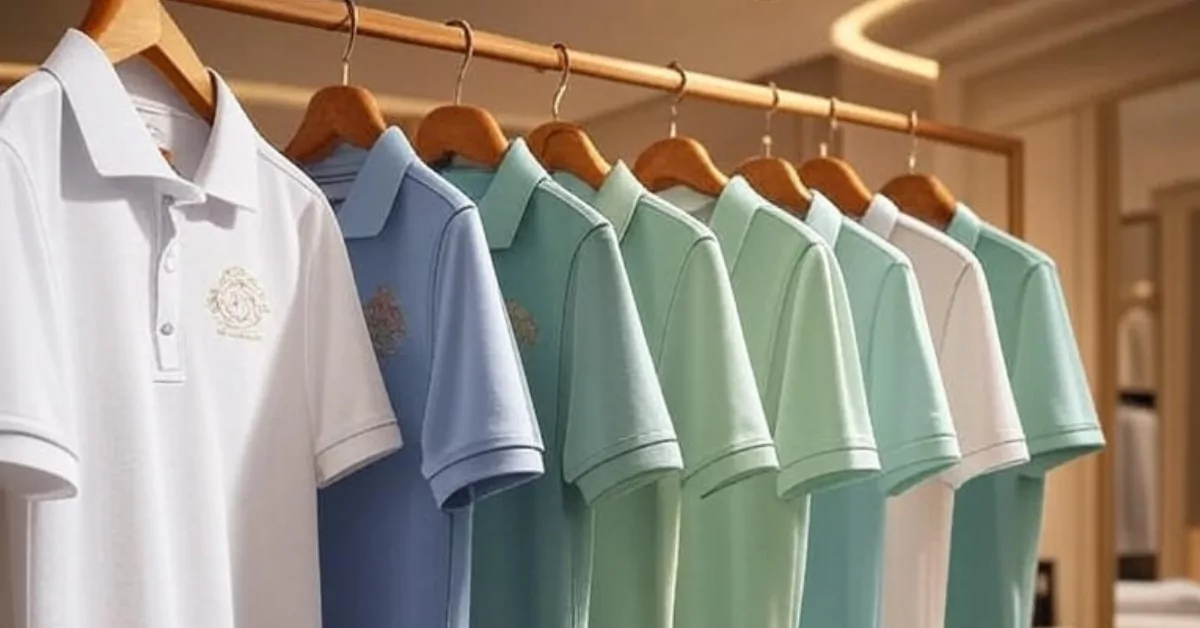
Their catalogue covers over 1,000 items, from enamel pins and patches to sports towels and eco-friendly tote bags. The custom T-shirt printing starts at just $5 per shirt—handy when you need to outfit a whole event crew. They also do tech accessories and small promotional items, everything designed to carry your brand cleanly.
What sets them apart is the speed and the showroom. You can book an appointment on Monday, Wednesday, or Friday to touch the fabrics and see samples before committing, which is a real plus if you’re sian of ordering blind. Their turnaround famously hits within a week for some orders, and the team—Xiao Fen especially—keeps communication consistent so you never left hanging.
- Address: 8 Boon Lay Way, #07-15, 8 @ Tradehub 21, Singapore 609964
- Showroom hours: Mon, Wed, Fri 10am–5pm by appointment
- Office hours: Mon–Fri 9am–6pm
- Contact: 9177 8460 | [email protected]
- Price signal: Custom T-shirts from $5 each
- Website: meowprint.sg
This is for the ground-level organiser who needs to get 200 tees done by next Friday and the budget is tight. The low minimums and quick turnaround mean you can be the steady one who won’t panic.
MeowPrint is your answer when you need volume that does not look like volume. The catalogue is deep, and the T-shirt printing setup means you can outfit a whole community event or a school charity run without sweating the per-piece cost. It is the kind of practical, friendly supplier that heartland organisers and startup crews keep returning to.
GiftAssembly

GiftAssembly operates out of Ang Mo Kio and focuses on premium corporate gifts that land on desks looking sharp and intentional.
They stock branded tech gadgets, personalised accessories, eco-friendly merchandise, and employee welcome kits that feel properly put together. Every placement of your logo is thought through, so the end result looks like merchandise someone would actually use, not stash away paiseh.
Enquiries are open 24/7 online and they reply fast—no waiting weeks for a quote. Their attention to detail makes them a natural pick when you’re sending something to a key account or onboarding a senior hire.
- Address: 3 Ang Mo Kio Street 62, Link@AMK, #06-02, Singapore 569139
- Contact: +65 86687485 | [email protected]
- Price signal: Premium range; enquire for quotes
- Website: giftassembly.co
Choose GiftAssembly when the gift is part of your brand story and you want the unboxing to feel atas.
We put this list together ourselves – nobody paid to be on it. If you run something that belongs here, tell us about it.
GiftAssembly suits the manager who wants the onboarding kit to feel like a proper welcome, not an afterthought. Everything arrives looking thoughtfully composed, the sort of merchandise a new joiner actually sets up on their desk. When your brand needs to show care before anyone has said a word, this Ang Mo Kio outfit delivers that impression.
While selecting corporate gifts that linger beyond the thank-you, see the gifts locals actually buy in Singapore.
TREA

TREA is up in North Spring Bizhub, Yishun, and they specialise in custom canvas bags and apparel made with heavier, lasting materials.
Their handcrafted canvas totes and pouches are the sort people keep and reuse for years—meaning your logo walks around town long after the event. They offer artwork amendment services, so if your design needs a tweak, they work it through with you. Beyond bags, they do printed tees, corporate shirts, and promotional gifts with a clear focus on quality over bulk.
With ten years in the game, they’ve earned a rep for hitting deadlines and staying within budget, which really helps when you’re coordinating a product launch or a CSR campaign.
- Address: 11 Yishun Industrial Street 1, #01-119, North Spring Bizhub, Singapore 768089
- Hours: Mon–Fri 9:30am–6:30pm
- Contact: +65 8818 7880 | [email protected]
- Price signal: Custom canvas totes; bulk pricing available
- Website: shopwith-trea.com
TREA is for the sustainability-conscious team that wants a gift people will actually use, not toss. A well-made bag carries your brand—and your values—literally everywhere.
Once you have your gifts planned, the next step might be a team dinner to hand them out. Take a look at Romantic Restaurants in Singapore for a venue that adds a bit of class to the occasion.
TREA’s canvas goods carry a bit of old-school heft, the way bags were made last time before everything went disposable. You send their tote out into the world and for years someone is carrying their market produce or library books in it. The Yishun team will work through your artwork with you, so the final piece comes back swee.
Singapore Corporate Gifts

With locations in Ubi and Balestier, Singapore Corporate Gifts is the supplier you call when the occasion demands leather goods, crystal awards, or a bulk order that still feels bespoke.
Their range spans practical power banks and umbrellas to high-end LiuLi crystal pieces and custom awards. Because they partner directly with factories, they can manufacture items in your exact corporate colours—so the gift looks yours, not something picked off a shelf. They count government agencies, banks, and universities among their regular clients, which tells you they handle scale without breaking a sweat.
They open on Saturdays and Sundays too (9am–5pm), which is a lifesaver if your own weekdays are already packed.
- Address: 33 Ubi Ave 3, Vertex #07-31, Singapore 408868 (also at 2 Balestier Road #04-665, Balestier Hill Shopping Centre)
- Hours: Mon–Fri 9am–7:30pm, Sat–Sun 9am–5pm
- Contact: +65 6634 9166 / +65 9788 0043 | [email protected]
- Price signal: Wide range; from promotional items to luxury awards
- Website: singaporecorporategifts.com
If you’re running a D&D, an awards night, or a large-scale appreciation event, this supplier has the inventory and the muscle to pull it off without things getting jialat.
And if you need a grand venue for the company gala, some of the spaces listed in our guide to Unveil Singapore&# ;s Most Wedding Venues also work beautifully for corporate events.
When the occasion calls for a crystal award or a set of leather compendiums engraved just so, this is the supplier you ring. They can manufacture in your exact corporate colours, which means the whole batch looks unmistakably yours. It is a proper old-hand operation for long-service awards, boardroom presentations, and closing gifts that need weight.
Impress Gift

Impress Gift runs from Jalan Senang and keeps the focus tight: handpicked, refined gifts for client appreciation and executive recognition.
They do engraved pens, gift sets, and tech accessories. The selection is deliberately small—each piece feels personal, not mass-produced. That works especially well when you need just a few dozen high-quality items for a senior stakeholder or a closing gift that shouldn’t feel like an afterthought.
Note their hours are Monday to Friday only, so plan ahead or send someone during lunch.
- Address: 96C Jalan Senang, Singapore 418483
- Hours: Mon–Fri 9am–5pm, closed weekends
- Contact: +65 9817 9586 / +65 8696 1199 | [email protected]
- Price signal: Premium; enquire for quotes
- Website: impressgift.com.sg
Go with Impress Gift when the relationship is atas and you want a gift that says “I value this” without shouting.
And on the practical side, if you’re sourcing other supplies online, our roundup of Online Shopping Platforms in Singapore might help you sort out the logistics.
Impress Gift keeps things small, deliberate, and free of catalogue clutter. You go to them when you need forty engraved pens for a senior delegation or a considered gift set for a stakeholder visit. Each piece feels chosen, not mass-picked, which suits the sort of recognition where a generic hamper would feel a bit anyhow.
Gift Market

Gift Market’s office is in Gordon Warehouse Building at Kaki Bukit, but you’ll likely do everything on their website—it shows you prices and lead times straight away for over 3,000 products.
They carry promotional merchandise, drinkware, lifestyle gifts, and tech gadgets. The real win here is the transparency: filter by your budget and quantity, see the cost immediately, and know exactly when it can arrive. No waiting days for a quote, which is a godsend when the boss suddenly decides the company needs branded gifts for an event next week.
- Address: 9 Kaki Bukit Road 2, #04-25 Gordon Warehouse Building, Singapore 417842
- Hours: Mon–Fri 9am–6pm (closed public holidays)
- Contact: +65 8082 0171 | [email protected]
- Price signal: Instant pricing on-site; from budget to mid-range
- Website: giftmarket.com.sg
If you’re the one tasked with ordering and you just want it done efficiently, Gift Market takes the runaround out of sourcing.
When the event runs late, you might also need some late-night fuel—take a look at Supper Spots in Singapore for post-event makan ideas.
Gift Market’s website shows you prices and lead times straight away—no waiting, no follow-up email, no agak agak. Filter by budget and quantity, see the cost, and know when it lands. When you are planning a conference or a roadshow and just need to lock things in chop chop, this level of transparency is a real relief.
FG Concepts

FG Concepts started in 2002 and works out of B Central on Bendemeer Road, carrying a deep inventory across apparel, bags, drinkware, stationery, leather goods, travel accessories, tech gadgets, and sustainable options.
Ready stock is their biggest card: because they already hold the items, turnaround is quick, and costs stay reasonable. They personalise everything with logos, debossing, or custom messages—so the gift still feels tailored even when you’re ordering in bulk. Their sustainability range has grown too, which is handy if your CSR team is asking questions.
Having served clients across many industries for two decades, they know what gets kept and what gets thrown away.
- Address: 996 Bendemeer Road, #05-03, B Central, Singapore 339944
- Hours: Mon–Fri 9am–6pm
- Contact: +65 6747 7266 | [email protected]
- Price signal: Affordable to mid-range; ready-stock keeps costs lower
- Website: fg.com.sg
FG Concepts suits companies that want a reliable, no-surprises partner for annual corporate gifting—the kind you keep on speed dial.
We put this list together ourselves – nobody paid to be on it. If you run something that belongs here, tell us about it.
How to choose
Start with three practical questions: your budget per head, the number of recipients, and how soon you need the gifts in hand. A fair price range is broad—custom tees can start at $5, while a set of custom canvas bags might run $8–$15 apiece, and premium items like engraved pens or crystal awards can climb past $50 per piece.
Lead time varies just as much. MeowPrint has turned orders within a week. Gift Market shows you estimated delivery dates online before you commit. Others may need two to four weeks, especially for large quantities or complex customisation like debossing. Always ask if they offer artwork revision (several on this list do), because a second round of edits after seeing a sample can save you from 500 gifts you’re paiseh to hand out.
Think about the gift’s second life, too. A tote bag or a power bank gets used repeatedly; a desk trophy might gather dust. The best corporate gift is one the recipient chooses to keep, not one they feel obliged to.
| Supplier | Best for | Price range | Minimum order | Lead time | Design support |
|---|---|---|---|---|---|
| MeowPrint | Budget-friendly custom tees & pins | From $5 per tee | Low minimums (check) | As fast as 1 week | Yes |
| GiftAssembly | Premium branded merchandise | Premium, enquire | Check with the business | Check with the business | Yes |
| TREA | Canvas bags & eco-friendly merch | Custom quote, bulk pricing | Check with the business | Check with the business | Artwork amendment included |
| Singapore Corporate Gifts | Large-scale orders, luxury awards | Wide range | Check with the business | Check with the business | Full customisation |
| Impress Gift | Small-batch executive gifts | Premium, enquire | Likely low (check) | Check with the business | Personalisation available |
| Gift Market | Instant pricing & efficient online sourcing | Budget to mid-range, shown online | Check with the business | Indicated online | Branding on products |
| FG Concepts | Ready-stock reliability & veteran experience | Affordable to mid-range | Check with the business | Quick (ready stock) | Personalisation available |
Summary
Whether you need a $5 tee for a fun run or a crystal trophy for your gala dinner, Singapore has a corporate gift supplier that fits. These seven each bring a different strength—quick turnaround, design help, eco-friendly options, or instant quotes—so match your priority, ask for samples, and order a little earlier than you think you need to.
Disclaimer: All details were accurate at time of writing but can change; please confirm directly with the business before placing an order.
Read next
Frequently asked questions
Walk into their Bendemeer showroom and the sheer range is what hits you first—rows of ready-stocked drinkware, bags, and tech accessories you can hold and feel. That 2002 experience means they know which travel mug actually keeps kopi hot on a sales run. It suits procurement teams who need corporate gifts that land fast without last-minute chasing, leaving you more time to settle the other event particulars.
What is the typical budget for corporate gifts in Singapore?
It varies widely. You can get custom T-shirts from $5 each, mid-range canvas totes around $8–$15, and premium items like leather goods or crystal awards can run above $50. Most suppliers offer bulk pricing to stretch the dollar.
Are there eco-friendly corporate gift options?
Yes, several suppliers have sustainable ranges. TREA specialises in reusable handcrafted canvas totes and pouches. FG Concepts stocks a growing sustainable line, and even MeowPrint lists eco-friendly bags. You can find gifts that carry a green message and still look good.
How fast can I get custom corporate gifts?
Some like MeowPrint have turned orders within a week. Gift Market shows you live lead times on their website. For rush jobs, ready-stock suppliers like FG Concepts can often move faster. Always confirm before ordering.
Do these suppliers accept low minimum order quantities?
MeowPrint is known for low minimums, making it suitable for small teams. Others may require larger volumes, especially for bespoke manufacturing. It’s best to check with the supplier directly about your specific quantity.
Can I see or touch samples before placing a bulk order?
MeowPrint has a showroom you can visit by appointment. Other suppliers may send a sample on request. It’s always worth asking—seeing the material and print quality in person helps avoid surprises.
Which type of gift is most suitable for client appreciation?
Many companies go for refined items like engraved pens (Impress Gift), premium tech gadgets (GiftAssembly), or custom leather goods (Singapore Corporate Gifts). The key is choosing something the client will actually use and associate with your brand.